> ## Documentation Index
> Fetch the complete documentation index at: https://plain-docs-orca-916-agent-docs-restructure.mintlify.site/llms.txt
> Use this file to discover all available pages before exploring further.
# Row
> Useful when you need to show two things next to each-other.
A row lays out two groups of components side by side, one aligned left and one aligned right.
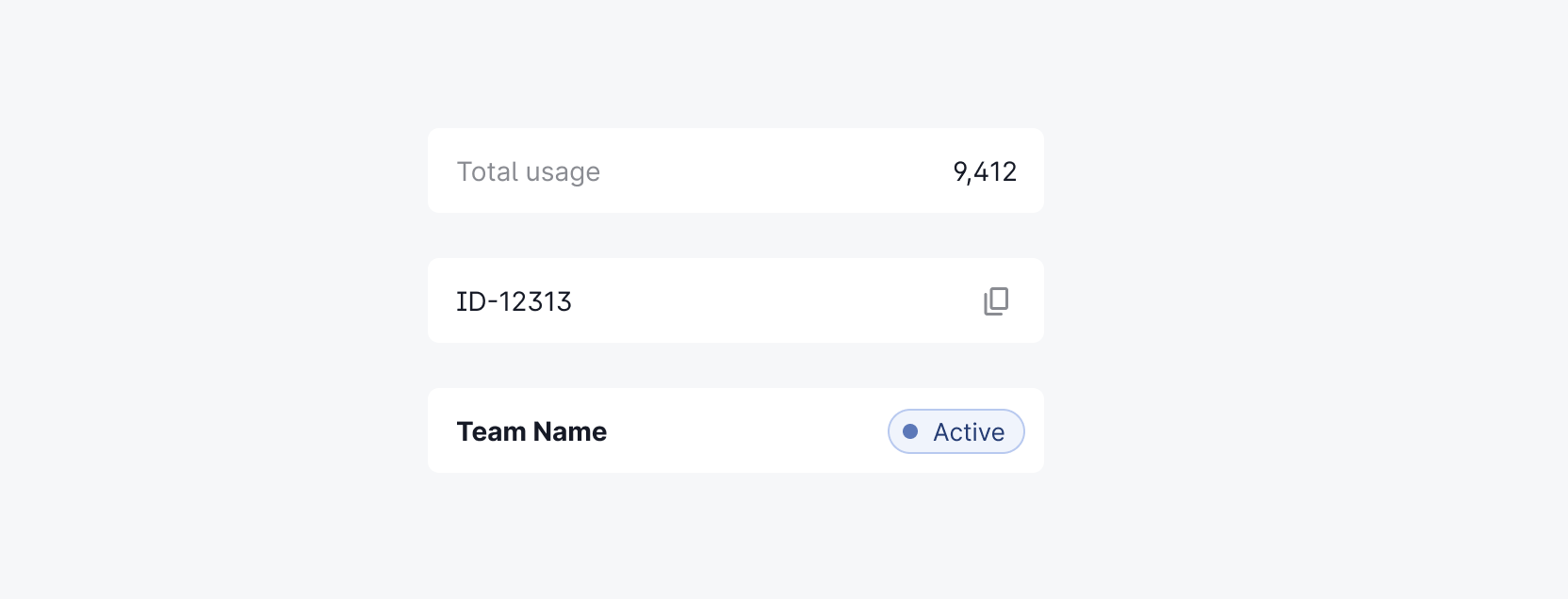 The row component has the following properties:
* `rowMainContent` (min 1): an array of row components
* `rowAsideContent` (min 1): an array of row components
The following components can be used in a row:
* [Badge](/ui-components/badge)
* [CopyButton](/ui-components/copy-button)
* [Divider](/ui-components/divider)
* [LinkButton](/ui-components/link-button)
* [Spacer](/ui-components/spacer)
* [Text](/ui-components/text)
* [PlainText](/ui-components/plain-text)
For example:
The row component has the following properties:
* `rowMainContent` (min 1): an array of row components
* `rowAsideContent` (min 1): an array of row components
The following components can be used in a row:
* [Badge](/ui-components/badge)
* [CopyButton](/ui-components/copy-button)
* [Divider](/ui-components/divider)
* [LinkButton](/ui-components/link-button)
* [Spacer](/ui-components/spacer)
* [Text](/ui-components/text)
* [PlainText](/ui-components/plain-text)
For example: